Longtime jailbreakers will remember that one of the most popular pastimes would have been customizing theHome Screenlayout with an arbitrary number of rows and columns to fit the growing number of apps we use on our handsets these days. Some liked higher app icon density on each page, while others preferred to lighten things up.
Last year, iOS developerKritantareleased HomePlus Pro, which offered granular Home Screen layout customization on demand for jailbroken iOS 13 devices. Now thatunc0ver has picked up support for iOS 14.0-14.3, it may not come as much of a surprise that HomePlus Pro is available for jailbroken iOS 14 devices as well.
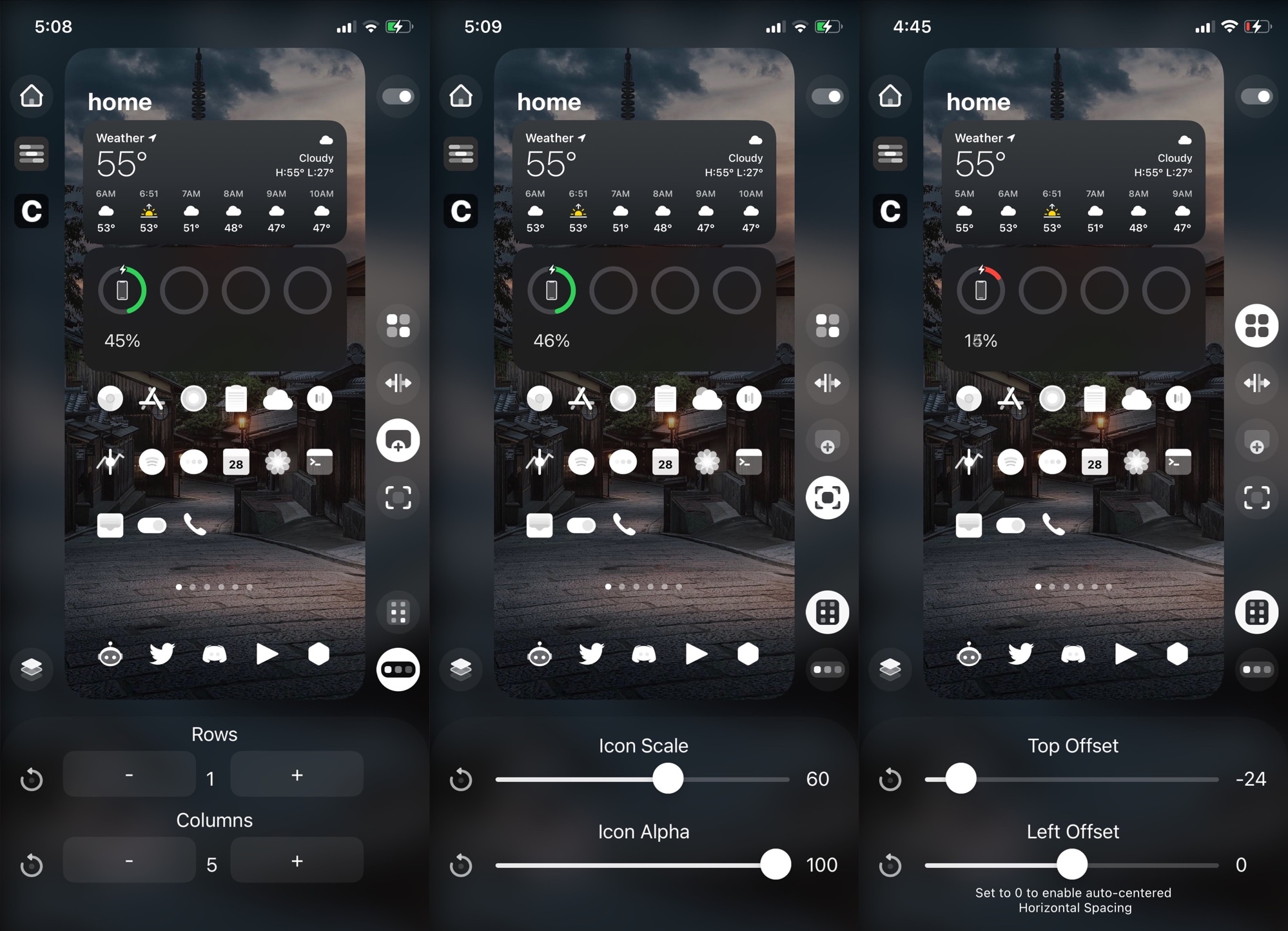
Just like last year’s iteration of the tweak, HomePlus Pro allows iOS 14 users to pinch the Home Screen to reveal an editor interface where users can then adjust the number of rows and columns independently, tweak app icon sizing and alpha levels, and adjust app icon spacing, among other things:
HomePlus Pro works dynamically and quick on its feet, dodging the need for relentless resprings while adjusting the appearance of your Home Screen one setting at a time. Best of all, theWhat You See Is What You Geteditor shields users from going into the Settings app, then back out to the Home Screen, and then back into the Settings app again to make fine-tuned adjustments.
Users can also create and save multiple layouts with HomePlus Pro, so if you have more than one way of enjoying your Home Screen, then you can save those individually and apply them whenever you feel like it.
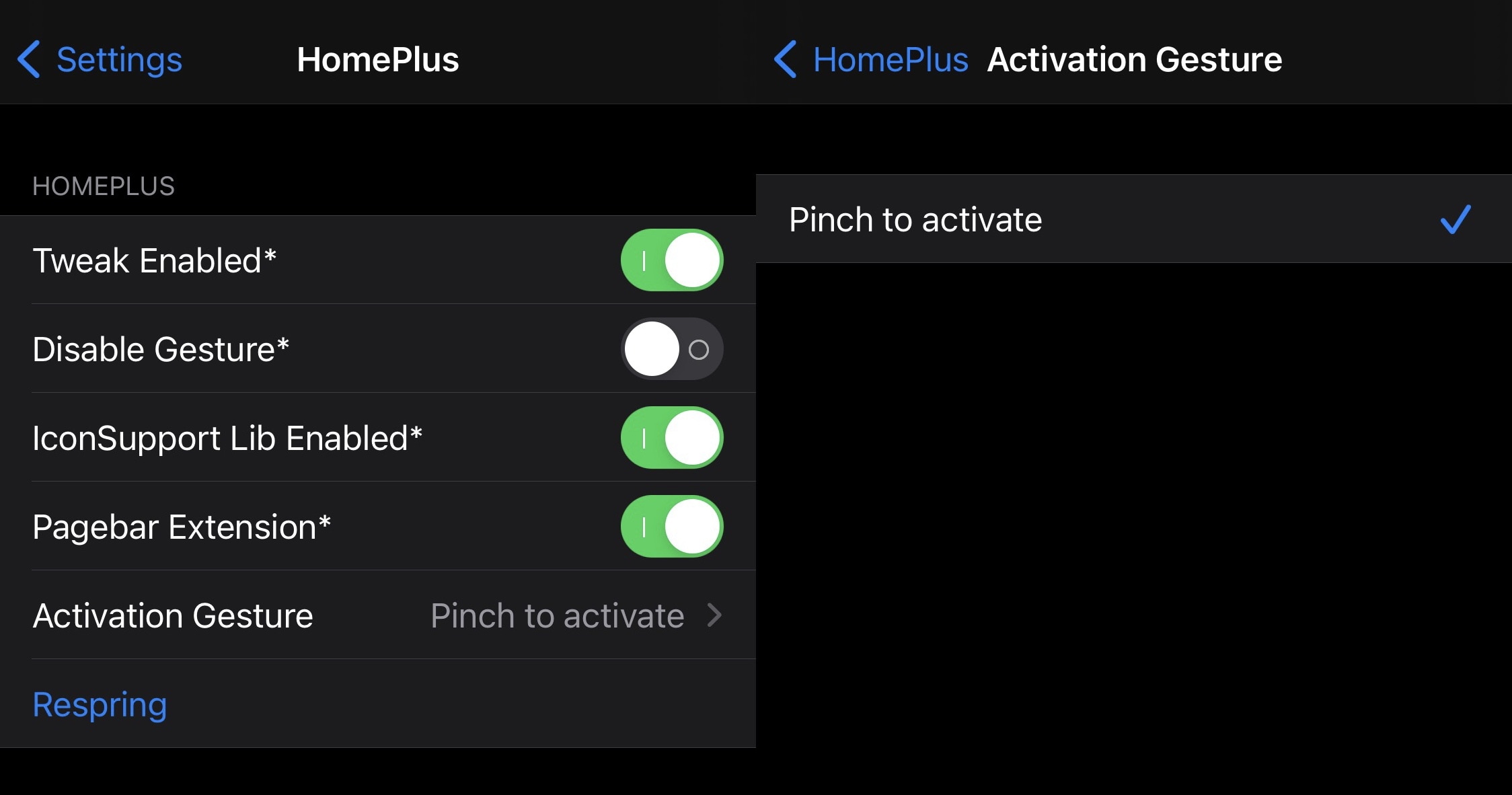
Once installed, HomePlus Pro adds a dedicated preference pane to the Settings app where users can configure the tweak to their liking:
Here, users can:
HomePlus Pro with iOS 14 supportis now available for $2.49 from the Chariz repositoryvia your favorite package manager. If you justjailbrokeyour shiny new iPhone on iOS 14.0-14.3 withunc0veror have had a jailbroken iOS 14 device by way ofcheckra1n, then this tweak is for you. HomePlus Pro is alsoopen source on the developer’s GitHub page.
Will you downloading the new HomePlus Pro tweak? Let us know why or why not in the comments section down below.
